Operators in JavaScript
Why Do We Need Operators?
Imagine you’re building a small calculator or even a login system.
You need to add numbers
You need to compare values
You need to make decisions (like “if user is logged in AND has access”)
That’s where operators come in.
Operators are just symbols that perform actions on values.
Think of them like tools:
+→ adds numbers>→ checks which number is bigger&&→ checks multiple conditions
What Are Operators?
Operators are symbols used to perform operations on data.
Simple example:
let result = 2 + 3;
console.log(result); // 5
Here:
2and3are values+is the operator
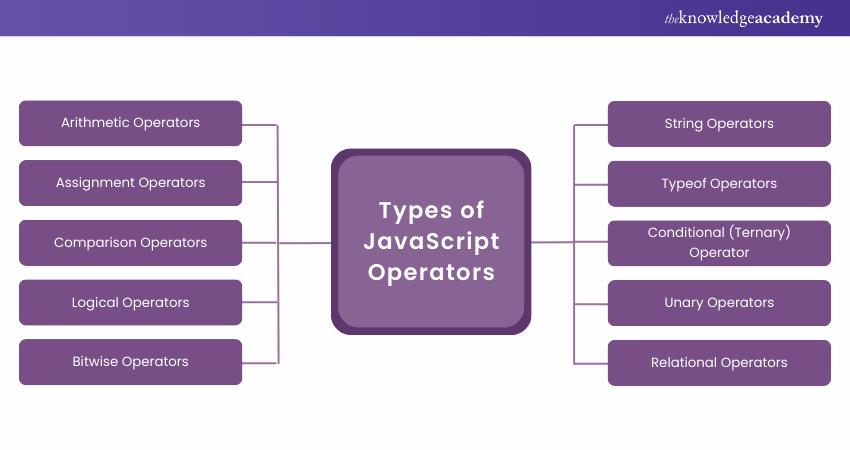
Types of Operators We’ll Learn

We’ll cover:
Arithmetic
Comparison
Logical
Assignment
Arithmetic Operators (Basic Math)
These are the ones you already know from school.
let a = 10;
let b = 3;

console.log(a + b); // 13 (addition)
console.log(a - b); // 7  (subtraction)
console.log(a * b); // 30 (multiplication)
console.log(a / b); // 3.33 (division)
console.log(a % b); // 1 (remainder)
Real-Life Analogy
+→ total money you have-→ money spent%→ leftover after dividing something
Example: If you divide 10 chocolates among 3 people → 1 is left → %
Comparison Operators (Checking Values)
These operators compare values and return true or false.
console.log(5 > 3);  // true
console.log(5 < 3);  // false
console.log(5 == '5'); // true
console.log(5 === '5'); // false
Important: == vs ===
This is where beginners often get confused.
console.log(5 == '5');  // true
console.log(5 === '5'); // false
Why?
==→ checks value only (ignores type)===→ checks value AND type
Simple Way to Remember
==→ “loose check”===→ “strict check” (recommended)
Logical Operators (Combining Conditions)
Used when you have multiple conditions.
let age = 20;
let hasID = true;

console.log(age > 18 && hasID); // true
console.log(age > 18 || false); // true
console.log(!true); // false
How They Work


AND (&&)
Both must be true
true && true  // true
true && false // false
OR (||)
At least one must be true
true || false // true
false || false // false
NOT (!)
Reverses value
!true  // false
!false // true
Assignment Operators (Storing Values)
Basic one:
let x = 10;
Now shortcut versions:
x += 5; // x = x + 5 → 15
x -= 3; // x = x - 3 → 12

Why Use Them?
They make code shorter and cleaner.
Before vs After (Cleaner Code)
Without Shortcut
let score = 10;
score = score + 5;
With Shortcut
let score = 10;
score += 5;
Same result, cleaner code.
Real-Life Example (Putting It Together)
let marks = 75;

if (marks >= 50 && marks <= 100) {
  console.log("Passed");
}
Here:
>=and<=→ comparison&&→ logical
Practice Assignment
Try these step by step:
1. Arithmetic Operations
let a = 8;
let b = 2;

// perform +, -, *, /, %
2. Compare Values
console.log(10 == '10');
console.log(10 === '10');
Observe the difference.
3. Logical Condition
let age = 22;
let hasLicense = true;

// check if person can drive
4. Assignment Practice
let score = 50;

// increase by 10 using +=
// decrease by 5 using -=

